Software Contract Value Calculator - ACV and TCV from Pricing
Use this software contract value calculator to estimate monthly cost, annual contract value, and total contract value from retail price, seats, discount, and term.
Software Contract Value Calculator
Results
What Is Software Contract Value Calculator?
A software contract value calculator estimates the dollar value of a software or SaaS contract from a few pricing inputs. Enter the retail monthly per-seat price, the number of seats, the discount you want to apply, and the contract duration. The result shows the discounted per-seat price, the monthly cost across all seats, the annual contract value (ACV), and the total contract value (TCV). Use it to size deals, compare term lengths, and check whether a discount fits your revenue plan before signing the contract.
- • Size a SaaS deal: Estimate ACV and TCV for a quote by entering the per-seat retail price, seats, discount, and term.
- • Compare contract lengths: Switch the duration to see how one-year versus three-year terms change the TCV at the same per-seat rate.
- • Test discount strategies: Try percentage versus fixed-amount discounts to see which approach keeps more revenue per seat.
- • Plan annual revenue: Use the ACV output as an input to a revenue or marketing plan to forecast recurring software income.
The central question is not only how much one seat costs, but how the per-seat price, the seat count, the discount, and the contract length combine to create monthly, annual, and total contract value.
A small per-seat discount can produce a meaningful change in TCV when the seat count and contract length are both large. A short contract can look affordable in ACV but still leave money on the table compared with a longer renewal-friendly term.
When the software side of a deal is the unknown, the HR software ROI calculator shows how a software purchase pays back in time and cost savings before you review the contract value.
How Software Contract Value Calculator Works
The calculator applies the chosen discount to the retail price, multiplies by seats to get the monthly cost, and then extends the monthly cost across twelve months for ACV and the full contract duration for TCV.
- Retail price: The regular monthly price of one subscription for one user, before any discount.
- Seats: The number of users who will be paying for access to the software.
- Discount: The percentage or fixed dollar amount applied to the retail price per seat per month.
- Contract duration: The total length of the customer contract, entered in months.
The percentage discount mode computes the discount as a share of the retail price, while the fixed-amount mode subtracts a fixed dollar value from the retail price. Switching between them is the right way to compare the revenue impact of a 20% off promotion versus a flat $5 off promotion.
The annual cost is the monthly cost extended over twelve months, so it is a useful normalization for comparing contracts of different lengths. The total contract value is the monthly cost extended over the full contract duration.
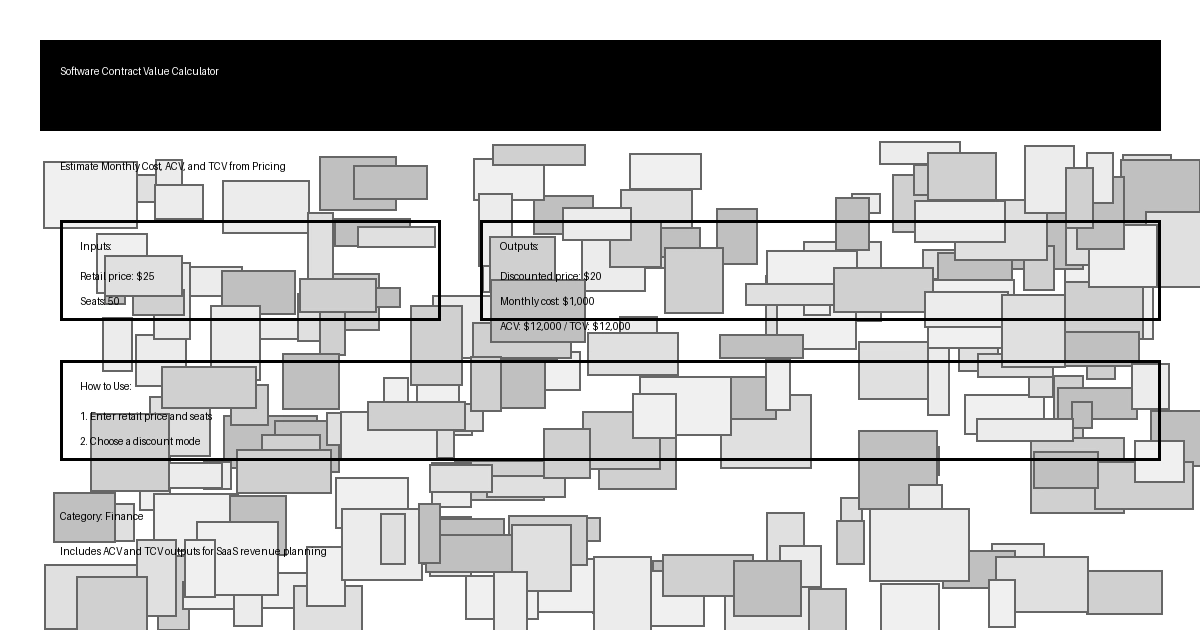
Fifty seats at $25 with a 20% discount on a 12-month contract
Retail price: $25; seats: 50; discount: 20% off; contract duration: 12 months.
Discounted price is $25 - ($25 x 20%) = $20 per seat. Monthly cost is $20 x 50 = $1,000. ACV is $1,000 x 12 = $12,000, and the contract is 12 months, so TCV is also $12,000.
Estimated ACV: $12,000; estimated TCV: $12,000.
When the contract length is one year, ACV and TCV are the same; any term longer than 12 months makes TCV larger than ACV.
According to Omni Calculator software contract value, the monthly, annual, and total contract values are derived from the discounted per-seat price, seat count, and contract duration.
According to Paddle annual contract value guide, ACV is the average annual revenue from a customer contract and is calculated by dividing the total contract value by the number of years in the contract.
For an annualized view of the monthly revenue over multiple renewals, the compound interest calculator adds the compounding view that this page does not model.
Key Concepts Explained
These definitions keep the result useful when comparing deals, contracts, and pricing strategies.
ACV
Annual contract value. The monthly cost of a contract extended over twelve months, useful for comparing contracts of different lengths.
TCV
Total contract value. The total revenue the contract is expected to generate over its full duration, also called contract value in the calculator.
Discounted price
The monthly per-seat price after the percentage or fixed discount is applied.
Monthly cost
The discounted price multiplied by the number of seats. It is the recurring revenue the seller receives each month from this contract.
ACV and TCV answer different questions. ACV is the right metric when you want a per-year comparison across customers with different contract lengths. TCV is the right metric when you want the total deal size for revenue planning or customer segmentation.
A 24-month contract at the same per-seat rate has the same ACV as a 12-month contract, but its TCV is twice as large. That is why the calculator reports both, so you can switch between per-year and per-contract views without re-entering inputs.
When the contract value is one input to a return calculation, the ROI calculator pairs it with the cost that produced the deal.
How to Use This Calculator
Enter the pricing inputs in the order they appear, choose a discount mode, then read the ACV and TCV outputs.
- 1 Enter the retail price and seats: Use the regular monthly price of one subscription for one user, then the number of seats in the contract.
- 2 Choose a discount mode: Use percentage for percent-off promotions and fixed amount when the discount is a flat dollar value per seat per month.
- 3 Enter the discount value: In percentage mode enter the percent off the retail price. In fixed mode enter the dollar amount subtracted from the retail price.
- 4 Set the contract duration: Enter the contract length in months. The default 12 months keeps ACV and TCV the same; longer terms make TCV larger than ACV.
- 5 Read the outputs: Use the discounted price to sanity-check the per-seat rate, the monthly cost to plan recurring revenue, and the ACV and TCV to size the deal.
Suppose you quote a 24-month contract for 10 seats at $15 per month with a $5 fixed discount. The discounted price is $10 per seat, the monthly cost is $100, ACV is $1,200, and TCV is $2,400.
After sizing the contract value, the online marketing ROI calculator helps you estimate the marketing investment needed to win deals of this size.
Benefits of Using This Calculator
A software contract value calculator is most useful when it changes the conversation from per-seat price to total contract revenue.
- • Deal sizing: Translate per-seat price, seats, discount, and term into monthly, annual, and total contract value in one step.
- • Term comparison: Compare one-year, two-year, and three-year terms at the same per-seat rate by reading the TCV row.
- • Discount evaluation: Test percentage versus fixed dollar discounts to see which approach keeps more revenue per seat.
- • Renewal planning: Use the ACV row as an input to renewal, expansion, and churn planning for SaaS revenue teams.
- • Quote review: Check a quote by entering its per-seat price, seat count, and term to confirm the ACV and TCV it implies.
The calculator is intentionally transparent. It shows the discounted per-seat price, the monthly cost, the ACV, and the TCV in one panel so you can see which input drives the result.
Keep a copy of the inputs you used. A later quote can change because of a different per-seat price, a revised seat count, an updated discount, or a different contract length, and the ACV and TCV can shift quickly when those inputs move.
For a borrower-side view of the cost side of a SaaS contract, the finance charge calculator pairs the contract value with the credit cost of a software purchase.
Factors That Affect Your Results
The estimate changes when any input changes, and quote language can change how a discount is applied.
Retail price
A higher retail price raises the discounted price, the monthly cost, and both ACV and TCV at the same seat count and duration.
Seats
Seat count multiplies the monthly cost. A 50-seat contract and a 500-seat contract at the same per-seat rate and term have the same per-seat math but very different ACV and TCV.
Discount
A larger percentage or fixed discount reduces the discounted per-seat price, which lowers the monthly cost, ACV, and TCV together.
Contract duration
A longer term keeps the monthly cost and ACV the same but increases TCV linearly with the number of months.
Discount mode
A 20% discount and a fixed $5 discount can produce very different revenue effects depending on the retail price and the seat count.
- • The calculator models a single flat-rate subscription and does not handle tiered pricing, usage-based charges, or add-ons.
- • It does not model mid-term seat changes, ramp schedules, professional services, or one-time setup fees.
- • It does not compute churn, retention, or net revenue retention; use a dedicated SaaS revenue model for those views.
When the per-seat price, seat count, discount, and term are all locked in, the ACV and TCV move together with the discounted monthly cost. A change in any one of those four inputs will move the result.
For multi-year, multi-product deals, use this calculator to sanity-check the per-seat math and rely on a revenue model for tiered pricing, ramp schedules, and add-ons that the calculator does not represent.
According to Paddle total contract value guide, TCV measures the full amount of revenue a customer contract brings in and is calculated from the monthly recurring revenue and the contract term length.
If a software contract is large enough to reconsider building the tool in-house, the rent or buy calculator compares the rent cost with the multi-year TCV.
Frequently Asked Questions
Q: What is a software contract value calculator?
A: A software contract value calculator estimates the dollar value of a SaaS or subscription contract from a few pricing inputs. It returns the discounted per-seat price, the monthly cost across all seats, the annual contract value (ACV), and the total contract value (TCV).
Q: How do I calculate annual contract value (ACV)?
A: First apply the discount to the retail per-seat price to get the discounted price. Multiply the discounted price by the number of seats to get the monthly cost, then multiply the monthly cost by 12 to get the ACV.
Q: How do I calculate total contract value (TCV)?
A: Use the same monthly cost from the ACV calculation, then multiply it by the contract duration in months. The result is the total contract value over the entire contract.
Q: What is the difference between ACV and TCV?
A: ACV is the contract value normalized to one year. TCV is the contract value over the entire contract duration. For a 12-month contract, ACV and TCV are equal; for any longer contract, TCV is larger than ACV.
Q: Does the calculator support percentage and fixed discount amounts?
A: Yes. The discount mode selector lets you choose between a percentage off the retail price and a fixed dollar amount subtracted from the retail price per seat per month. The active mode is the one that drives the calculation.
Q: How do seats, price, discount, and term affect contract value?
A: Seats multiply the discounted per-seat price into a monthly cost. The discount lowers the per-seat price. The contract duration multiplies the monthly cost into a TCV. ACV multiplies the monthly cost by 12 regardless of term.