Mcg to Mg Calculator - Microgram to Milligram Converter
Converts micrograms and milligrams both ways, with grams, kilograms, and dosage-label context.
Mcg to Mg Calculator
Results
What This Calculator Does
A mcg to mg calculator converts a mass written in micrograms into milligrams, or a mass written in milligrams back into micrograms. The tool is a decimal-place converter, not a dosage recommendation, laboratory interpretation, supplement endorsement, or prescription checker. The result keeps the same physical quantity and changes only the unit label and number scale.
The conversion is useful because micrograms and milligrams sit close together in written labels but are separated by a factor of 1000. A small vitamin label may show 25 mcg. A medication chart may show 0.025 mg. Those two labels describe the same mass, but the numeric values look very different. The calculator displays both forms together so the scale change is visible.
The page is built for small-mass records where the unit prefix is the main source of confusion. Nutrition panels, supplement facts, ingredient assays, lab notes, classroom worksheets, and inventory sheets may all use different metric prefixes for the same order of magnitude. A single side-by-side result can make the label easier to compare without changing the source record.
The calculator intentionally avoids interpreting what the amount means. Ten micrograms of one substance and ten micrograms of another substance can have very different practical meanings, but the unit conversion is identical. That separation keeps the arithmetic transparent: one section handles metric scale, while professional guidance or source documentation handles substance-specific decisions.
The tool also shows grams, kilograms, and scientific notation. That extra context helps when a worksheet, lab report, or product label moves between metric prefixes. For broader mass changes beyond micrograms and milligrams, the Weight Converter covers common metric and customary mass units. When a medication-related page needs weight-based dose arithmetic rather than only a unit change, the Dosage Calculator keeps that separate calculation in its proper context.
How the Calculator Works
The formula follows the SI prefix scale. The micro prefix represents 10^-6 of a base unit, and the milli prefix represents 10^-3 of a base unit. Since 10^-3 is 1000 times larger than 10^-6, one milligram contains 1000 micrograms. According to NIST guidance on metric prefixes, prefixes create decimal multiples and subdivisions of units.
mcg = mg x 1000
The calculator first reads the selected direction. In micrograms-to-milligrams mode, it divides the entered number by 1000. In milligrams-to-micrograms mode, it multiplies by 1000. It then derives grams by dividing milligrams by 1000 and kilograms by dividing grams by 1000. The displayed scientific-notation row preserves the gram value in a compact form.
No density, concentration, serving size, or body-weight factor enters this formula. The reason is simple: both units already measure mass. If the starting information says micrograms, the calculation has enough information to produce milligrams. If the starting information says milliliters, percent solution, international units, drops, tablets, or servings, a different conversion problem exists and more source information is required.
The decimal-place selector changes only the display. Internally, the arithmetic uses the entered number before rounding. That matters for values such as 0.0007 mg, which becomes 0.7 mcg. Showing too few decimal places could make a small nonzero value appear as zero, while showing too many can add distracting digits that are not meaningful in the source label.
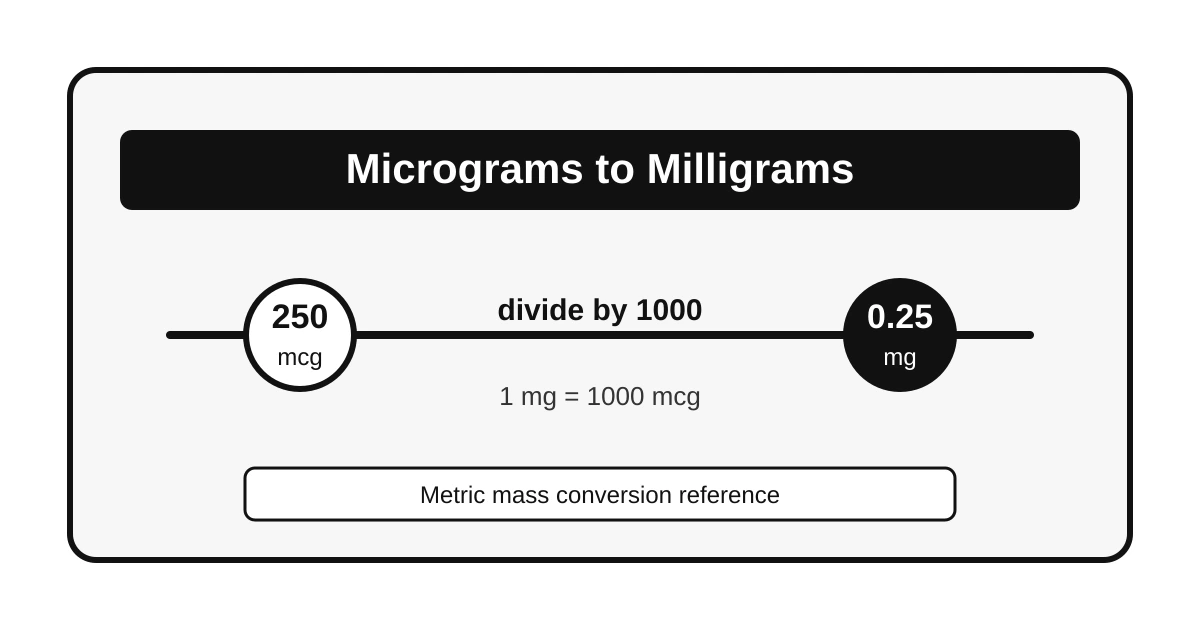
For example, 250 mcg divided by 1000 equals 0.25 mg. The same amount is 0.00025 g, or 2.5 x 10^-4 g. The Scientific Notation Equation Calculator can help audit those powers of ten when a class, lab, or quality-control note requires exponent form.
Key Concepts Explained
Microgram
A microgram is one millionth of a gram. In ASCII-only writing, mcg is common, while the official SI symbol uses the micro sign.
Milligram
A milligram is one thousandth of a gram. It is 1000 times larger than a microgram.
Conversion factor
The factor is always 1000 between mcg and mg. Direction determines division or multiplication.
Mass, not volume
Micrograms and milligrams measure mass. Milliliters require density or concentration before conversion to mass.
NIST Special Publication 330 notes that SI prefix symbols attach directly to unit symbols without a space, which is why mg is treated as a single prefixed unit symbol rather than the letter m followed by g. The NIST SI base and prefix discussion is a useful reference for symbol style and decimal-prefix structure.
The official micro prefix symbol is the Greek letter mu. Many plain-text systems, product databases, and older records use mcg instead because it avoids character-encoding problems and can reduce confusion with mg in handwritten or low-resolution settings. This calculator accepts the common mcg wording in the page title and labels, while the arithmetic still follows the SI prefix scale.
The gram is the shared reference point behind both units. One milligram equals 0.001 gram, and one microgram equals 0.000001 gram. Converting through grams gives the same answer as using the direct factor of 1000, but it can make the relationship easier to inspect in scientific notation.
The distinction matters when a product has both amount and concentration information. A bottle may state milligrams of ingredient per serving, while a liquid may state milligrams per milliliter. Those are different statements. For food-energy context, the Grams to Calories Calculator shows a separate example where mass inputs are transformed only after a substance-specific rule is known.
Real-World Examples
A supplement label stating 400 mcg can also be written as 0.4 mg. The arithmetic is 400 divided by 1000. A label stating 2.5 mg can also be written as 2500 mcg. The arithmetic is 2.5 multiplied by 1000. The mass does not change in either example; only the prefix scale changes.
A laboratory note may list a trace amount as 0.007 mg. In micrograms, the same amount is 7 mcg. Scientific notation may show that gram value as 7 x 10^-6 g. Such notation is common when the number becomes too small for quick visual comparison.
A quality-control spreadsheet may contain both forms after data is copied from several suppliers. One supplier may provide 1500 mcg per packet, while another lists 1.5 mg per packet. A direct conversion shows that the amounts match. That result does not prove the products are interchangeable; it only confirms that the mass statement is numerically equivalent after prefixes are aligned.
A classroom example may ask for 0.002 mg in micrograms. Multiplying by 1000 gives 2 mcg. A common mistake is to move the decimal three places in the wrong direction and report 0.000002 mcg. The calculator's paired output helps catch that because the gram row would become implausibly small compared with the original milligram amount.
A record cleanup task may need every entry in milligrams. In that case, 75 mcg becomes 0.075 mg, 1000 mcg becomes 1 mg, and 3200 mcg becomes 3.2 mg. Keeping a consistent unit can make tables easier to sort, but the original unit should remain available when traceability matters.
NIST Handbook 44 Appendix C lists mass-unit relationships, including microgram and milligram definitions in terms of grams. The NIST general tables of units of measurement provide a primary reference for exact mass-unit equivalences used in U.S. weights and measures material.
How the Inputs Work
Direction
The direction field identifies whether the starting label is in micrograms or milligrams.
Amount
The amount field holds the numeric value exactly as it appears on the source label or note.
Rounding
The decimal-place field controls display precision. The calculation uses the unrounded value internally.
Unit review
The result panel compares the primary result with the microgram, milligram, gram, kilogram, and scientific-notation rows.
The cleanest workflow begins with the exact label value. If a record says "per serving," the serving amount should stay attached to the note. If a record says "per tablet," the result remains per tablet after conversion. The calculator does not multiply by tablets, servings, days, or containers unless those quantities are entered into a separate purpose-built calculator.
If the starting value arrives as a mass-per-volume statement, concentration should be handled before the microgram or milligram label is compared. The Percent Solution Calculator covers percent-strength examples where a source record contains more than a simple mass amount.
Benefits and When to Use It
- •Label comparison: The same amount can be compared across labels that choose different metric prefixes.
- •Decimal-place clarity: Tiny values can be checked without mentally counting zeros.
- •Worksheet support: The result includes gram and scientific-notation rows for classroom and lab notes.
- •Record cleanup: Historical notes can be standardized without changing the underlying mass.
The calculator is especially appropriate for unit reconciliation. It is not appropriate for deciding whether an amount is safe, effective, recommended, excessive, or clinically meaningful. Those judgments depend on substance identity, route, patient context, regulatory label, or professional guidance. A unit converter can make two labels comparable, but it cannot decide what the label should say.
The best use case is narrow and mechanical: converting the number scale while preserving the original context. If context is missing, the calculator can still convert the unit, but the result should be treated as an arithmetic translation rather than a complete interpretation of the source item.
Factors That Affect Results
Direction
The most common error is using the correct factor in the wrong direction. Micrograms to milligrams divides by 1000; milligrams to micrograms multiplies by 1000.
Rounding
A rounded display can hide small differences. More decimal places are useful when values are below 1 mg.
Symbol style
mcg, ug in plain text, and the official microgram symbol may appear in different systems. They should not be confused with mg.
Concentration
Mass-per-volume statements need additional information. A direct mcg-to-mg conversion cannot transform a liquid volume by itself.
Source precision also affects how many digits deserve to be shown. A label rounded to the nearest 10 mcg should not be interpreted as if it measured every thousandth of a milligram with laboratory precision. The calculator can show additional decimals, but the meaningful precision still comes from the source measurement.
Zeros deserve special attention. A displayed result of 0 mg may mean the amount is truly zero, or it may mean the display rounded a very small milligram value down to zero. Increasing decimal places can reveal the difference. For example, 4 mcg is 0.004 mg; with zero decimal places, that would display as 0 mg even though the amount is not zero.
Mass and volume should remain separate unless density or concentration is known. The mL to kg Calculator illustrates why density-specific assumptions are needed before a volume can become a mass. In contrast, mcg and mg are already mass units, so no material-specific density is required.
Frequently Asked Questions
How does the calculator convert mcg to mg?
The calculator divides the entered micrograms by 1000 because a microgram is one millionth of a gram and a milligram is one thousandth of a gram. The result is the same mass expressed in milligrams.
How does the calculator convert mg to mcg?
The calculator multiplies the entered milligrams by 1000. That multiplication works because one milligram contains 1000 micrograms, so the numeric value becomes larger when the same mass is written in micrograms.
Is mcg the same as the official microgram symbol?
The official SI symbol uses the Greek letter mu, written as ug in plain ASCII here only where needed. The abbreviation mcg is common in labels and clinical contexts because it is easier to type and less likely to be confused with mg.
What is 100 mcg in mg?
One hundred micrograms equals 0.1 milligrams. The calculation is 100 divided by 1000, which gives 0.1. Reversing the conversion, 0.1 milligrams multiplied by 1000 returns 100 micrograms.
Why do small mcg and mg values need careful review?
Small unit labels can change the numeric value by a factor of 1000. A decimal-place error or a confused unit can therefore create a very different quantity, especially on supplement, laboratory, or medication-related labels.
Does this calculator convert liquid volume to mg?
No. The calculator converts mass only. Liquid volume requires concentration or density information before milliliters can be translated into milligrams, so a volume label should not be treated as a mass conversion by itself.