mL to kg Calculator for Metric Volume-to-Mass Estimates
Convert milliliters to kilograms or kilograms to milliliters using material density, practical presets, and transparent metric steps.
mL to kg Calculator
Results
What This Calculator Does
The mL to kg calculator converts a measured volume into mass by applying the density of the selected material. It is meant for situations where a container, recipe, lab note, shipment, or process sheet gives milliliters but the next step requires kilograms. The calculator also runs the reverse direction, so a known kilogram amount can be translated back into an estimated milliliter volume when the density is known.
Milliliters and kilograms describe different properties. A milliliter is a metric unit of volume, while a kilogram is a metric unit of mass. Because a volume-to-mass conversion depends on how tightly matter is packed into that volume, a water-like liquid, a light oil, and a dense syrup produce different kilogram results from the same milliliter amount. The preset list gives common starting densities, and the custom density field supports measured values from a product sheet, lab record, or ingredient reference.
That distinction is especially important when a task moves between measuring tools. Graduated cylinders, measuring jugs, dosing cups, and bottle labels usually describe volume. Scales, shipping records, production tickets, and ingredient costing sheets often describe mass. The calculator sits between those records and documents the assumption used to connect them. A result is therefore more than a unit swap; it is a density-based estimate that should travel with the density value that produced it.
This tool is useful for kitchen scaling, small-batch production, classroom examples, fluid handling, and purchasing estimates where metric volume and metric mass need to be reconciled. It should not replace a calibrated scale when legal trade, medication, safety, or laboratory compliance requires direct measurement. In those cases, the result is best treated as a planning estimate until the material is weighed.
For recipe volume work that does not require density, the mL to Cups Calculator handles cup standards and kitchen fractions from the same milliliter starting point.
How the Calculator Works
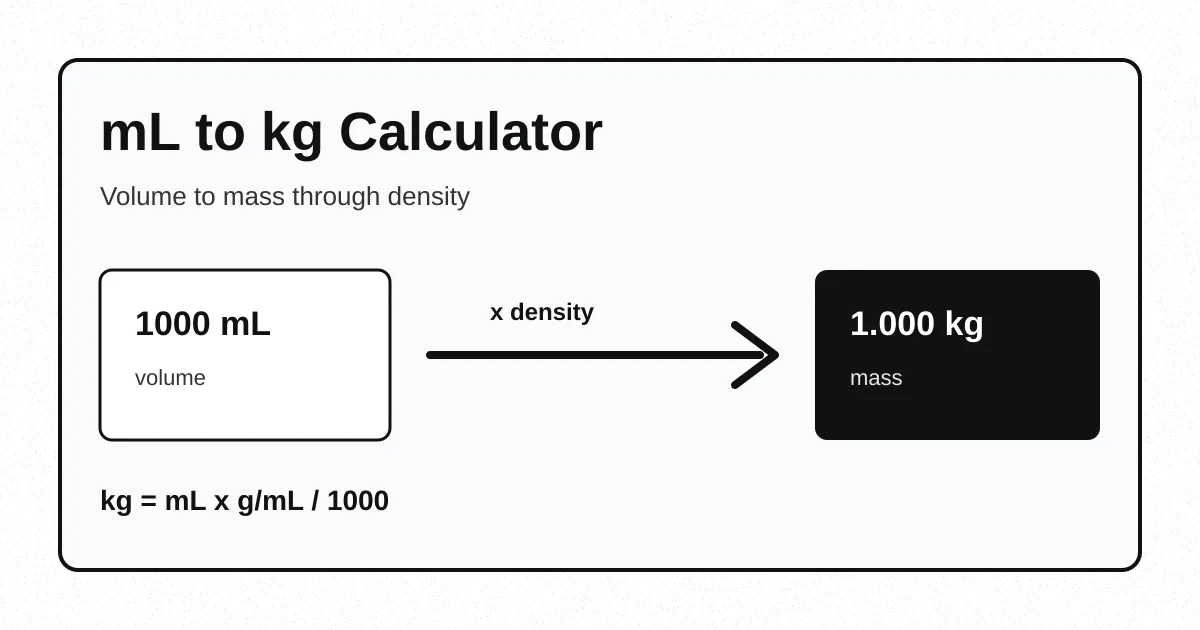
The calculator uses a direct density equation. In the forward direction, it first treats density as grams per milliliter, multiplies by the milliliter amount, and then divides grams by 1000 to report kilograms.
For example, 750 mL of vegetable oil at 0.92 g/mL equals 750 x 0.92 / 1000, or 0.69 kg. In reverse mode, the same relationship is rearranged as milliliters = kilograms x 1000 / density. A 2 kg amount of honey at 1.42 g/mL is about 1408.45 mL. Both directions use the same density value, so changing the material changes every result.
The intermediate gram step is shown because it makes the conversion easier to audit. Density in g/mL means each milliliter contributes a certain number of grams. Once total grams are known, the kilogram conversion is only a metric scale change. This avoids a common mistake: dividing milliliters by 1000 first and then forgetting that liters still need to be multiplied by kilograms per liter or an equivalent density value.
According to the National Institute of Standards and Technology SI units reference, the kilogram is the SI base unit of mass, while the liter is a special name for the cubic decimeter used with the SI. The calculator keeps those unit roles separate by using density as the bridge between volume and mass.
For conversions that start from larger liquid volumes, the Gallons to Grams Calculator follows the same density logic with gallon-based inputs.
Key Concepts Explained
Several concepts determine whether a milliliter-to-kilogram result is meaningful. The arithmetic is simple, but the density choice deserves attention because it carries most of the real-world uncertainty.
Volume
Volume describes how much three-dimensional space the material occupies. The calculator accepts milliliters, where 1000 mL equals 1 liter.
Mass
Mass describes the amount of matter. The result is reported in kilograms and grams so small and large quantities remain readable.
Density
Density links volume to mass. A density of 1.03 g/mL means every milliliter contributes about 1.03 grams before conversion to kilograms.
Temperature
Many liquids expand or contract as temperature changes. Everyday estimates tolerate small differences, but technical work should use density at the relevant temperature.
According to the NIST Chemistry WebBook entry for water, water has documented phase and thermophysical data that vary with conditions. That is why 1 g/mL is a practical everyday approximation rather than a universal physical constant.
Bulk density and true density can also differ. A liquid usually has one continuous density under a given condition, but powders, grains, pellets, and foams may include air gaps. A measuring cup of flour, for example, is not only flour solids; it includes void space between particles. For those materials, a sample measured in the same container style is more reliable than a generic substance density.
When density itself is the unknown, the Density Calculator can solve density from measured mass and volume before this converter is used.
Current Rules and Reference Values
The calculator does not apply changing tax rates, health thresholds, or regulatory limits. Its reference values are metric relationships and density presets. The exact metric relationship used throughout the page is stable: 1000 milliliters equal 1 liter, 1000 grams equal 1 kilogram, and density in grams per milliliter converts milliliters into grams.
Preset densities are included as practical defaults, not as certified specifications for every product. Water is listed as 1.000 g/mL for everyday work. Milk is listed as 1.030 g/mL, vegetable oil as 0.920 g/mL, honey as 1.420 g/mL, ethanol as 0.789 g/mL, and corn syrup as 1.590 g/mL. Real materials can differ by brand, composition, dissolved solids, air content, and temperature, so a custom value should be used whenever a supplier or lab record provides one.
The preset list is intentionally small because long density tables can create false precision. Two olive oils, detergents, syrups, or dairy products may share a name and still have different densities. A short list keeps the default workflow fast while encouraging a custom entry when the material matters. If the source density is provided in kg/L, the same numeric value can be entered as g/mL because 1 kg/L equals 1 g/mL. If the source uses g/cm3, that value is also numerically equal to g/mL.
The Bureau International des Poids et Mesures publishes the International System of Units as the global measurement reference. This page uses SI-compatible metric units and presents results in kilograms, grams, liters, and milliliters to keep the conversion transparent.
For shape-based volume before a mass conversion, the Volume Calculator can estimate the cubic measure of boxes, cylinders, spheres, and related forms.
How to Use This Calculator
- Choose the conversion direction. Select mL to kg for a volume-to-mass estimate, or kg to mL when a mass needs an estimated volume.
- Enter the amount. In forward mode the amount is milliliters. In reverse mode the amount is kilograms. The quick amount menu fills common milliliter examples.
- Select a material. Choose a preset density for common liquids, or choose custom density when a product label, safety sheet, or measured sample gives a better value.
- Review the density field. The density input is always editable. The selected density is shown in g/mL because that unit makes the formula direct.
- Calculate and interpret the result. The primary answer shows the converted value, while the secondary rows show grams, liters, density, and the formula used.
The result updates through a submit action and can be reset to 1000 mL of water. For precise process work, the amount and density should use the same material condition. A density measured at a cool storage temperature can produce a slightly different estimate from a density measured after heating, aeration, or dilution.
A practical workflow is to start with the closest preset, inspect whether the answer is plausible, and then replace the preset with a measured or documented density for final planning. When a scale is available, weighing a known volume can create a local density: divide measured grams by measured milliliters. That local value often reflects the actual product better than a general reference value, especially for mixtures and concentrated liquids.
For related recipe measures that need fluid ounces instead of kilograms, the mL to oz Converter converts small liquid volumes into fluid ounce units.
Benefits and When to Use It
The main benefit is that the calculator makes the density assumption visible. Many informal conversions treat 1 mL as 1 gram, which is only appropriate for water-like materials. Showing the density field prevents that shortcut from being hidden inside the answer.
- Batch planning: A recipe, cleaning mix, or shop formula can move from bottle volume to kilogram purchasing quantities.
- Shipping estimates: A package planner can estimate filled-container mass before a final scale check.
- Classroom work: Students can see why volume and mass are not interchangeable without density.
- Supplier checks: A purchase quote in liters can be compared with inventory records in kilograms when density is known.
- Reverse estimates: A kilogram target can be translated into approximate fill volume for a tank, jar, or graduated cylinder.
The calculator is less suitable when the substance is a mixture with changing concentration, a powder with variable packing, or a foam with trapped air. Those materials can still be estimated, but the density should come from a measured sample rather than a generic preset.
The tool is also helpful for checking whether a quoted quantity is internally consistent. If a supplier lists a drum volume and an expected net mass, entering the volume and back-solving with the stated density can reveal whether the numbers are in the expected range. It cannot prove the shipment is correct, but it can flag cases where volume, mass, and density do not agree before a purchase order or batch sheet is finalized.
When a result needs a pound-based comparison, the Liters to Pounds Calculator offers a similar density method with imperial mass output.
Factors That Affect Results
The biggest factor is the chosen density. A 1000 mL container of water is approximately 1 kg in everyday contexts, while the same 1000 mL of vegetable oil at 0.92 g/mL is about 0.92 kg. Honey at 1.42 g/mL is about 1.42 kg for the same volume. The volume did not change; the density did.
Temperature can also matter. Heating generally changes volume and therefore density. Dissolved sugar, salt, alcohol, or suspended solids can move a liquid away from a simple preset. Packaging can introduce another source of confusion because a container label may list net contents by volume while an inventory system records net mass. The calculator addresses the mathematical conversion, but the measurement source still controls quality.
Rounding is another practical factor. Three decimal places in kilograms is one gram of resolution, which is enough for many kitchen and packaging tasks. Larger industrial quantities may need fewer displayed decimals, while lab examples may need more. The decimal-place control changes the display only; it does not alter the underlying formula.
Measurement uncertainty should be considered with the same care as rounding. A measuring jug marked every 50 mL cannot support a result that pretends the volume was known to 0.1 mL. A density copied from a broad ingredient table may not support gram-level certainty either. The displayed decimals are useful for calculations and comparisons, but the final decision should reflect the least precise measurement in the chain.
For cup-based dry or liquid comparisons where density affects ounces, the Cups to Oz Calculator can help separate fluid ounces from weight ounces.
Real-World Examples
Water example: A 1500 mL water amount at 1.000 g/mL equals 1.500 kg. The intermediate mass is 1500 grams, and dividing by 1000 gives 1.5 kilograms. This example is the easiest way to check whether the calculator is set up as expected.
Oil example: A 750 mL bottle of vegetable oil at 0.920 g/mL equals 0.690 kg. The same volume would not weigh the same as water because the oil density is lower. A shipping estimate based on water would overstate the product mass.
Honey example: A 500 mL jar of honey at 1.420 g/mL equals 0.710 kg. The jar volume is smaller than the water example, but the dense syrup produces a relatively high mass. This is why ingredient costing and inventory planning often prefer weight units once density is known.
Reverse example: A process target of 2 kg of milk at 1.030 g/mL needs about 1941.75 mL. The reverse calculation helps when a scale target must be poured into a vessel marked in milliliters.
Custom-density example: A cleaner concentrate documented at 1.12 g/mL and measured at 3250 mL equals 3.640 kg. If the same container were assumed to be water, the estimate would be only 3.250 kg. The 0.390 kg difference shows why density should be recorded beside the converted result.
Frequently Asked Questions
Q: How does an mL to kg calculator work?
An mL to kg calculator multiplies volume in milliliters by density in grams per milliliter, then divides by 1000. The density step is required because milliliters measure volume while kilograms measure mass.
Q: Is 1000 mL always equal to 1 kg?
1000 mL equals 1 kg only when the material density is 1 g/mL, which is a close working value for water near ordinary room conditions. Oils, syrups, fuels, and powders need their own density values.
Q: What formula converts mL to kg?
The formula is kilograms = milliliters x density in g/mL / 1000. For example, 750 mL of a liquid with density 0.92 g/mL equals 0.69 kg.
Q: Why does ingredient density matter?
Density matters because the same volume can contain different amounts of matter. A milliliter of honey weighs more than a milliliter of vegetable oil, so both need different density inputs before converting to kilograms.
Q: Can this calculator convert kg back to mL?
Yes. The reverse mode divides kilograms by density and multiplies by 1000 to estimate milliliters. The result is only as reliable as the selected or entered density.